





 ## Sponsors
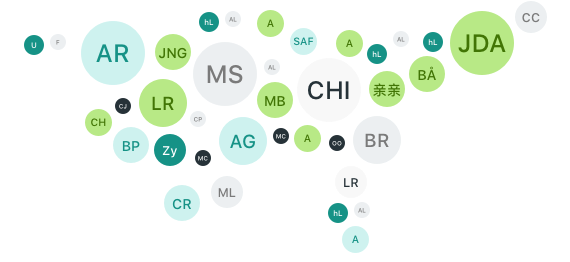
Support this project by becoming a sponsor. Your logo will show up here with a link to your website. [[Become a sponsor](https://opencollective.com/ui-avatars#sponsor)]
## Sponsors
Support this project by becoming a sponsor. Your logo will show up here with a link to your website. [[Become a sponsor](https://opencollective.com/ui-avatars#sponsor)]







 **There's also a api you can use: [https://ui-avatars.com](https://ui-avatars.com)**
## Installation
You just require using composer and you're good to go!
````bash
composer require lasserafn/php-initial-avatar-generator
````
Rad, *and long*, package name.. huh? Sorry. I'm not very good with names.
## Usage
As with installation, usage is quite simple. Generating a image is done by running:
````php
$avatar = new LasseRafn\InitialAvatarGenerator\InitialAvatar();
$image = $avatar->name('Lasse Rafn')->generate();
````
Thats it! The method will return a instance of [Image from Intervention](https://github.com/Intervention/image) so you can stream, download or even encode the image:
````php
return $image->stream('png', 100);
````
You can also just pass along the initials, and it will use those. Should you just include a first name, it will use the first two letters of it.
## SVG generation
````php
$avatar = new LasseRafn\InitialAvatarGenerator\InitialAvatar();
echo $avatar->name('Lasse Rafn')->generateSvg()->toXMLString(); // returns SVG XML string
````
## Supported methods and parameters
Of cause, passing a name is not the only thing this sweet thing does!
### Name (initials) - default: JD
````php
$image = $avatar->name('Albert Magnum')->generate();
````
### AutoFont - default: false
Will detect language script (using [lasserafn/php-string-script-language](https://github.com/lasserafn/php-string-script-language)) and use a font that supports it.
````php
$image = $avatar->autoFont()->generate();
````
### Width - default: 48
````php
// will be 96 pixels wide.
$image = $avatar->width(96)->generate();
````
### Height - default: 48
````php
// will be 96 pixels tall.
$image = $avatar->height(96)->generate();
````
### Size - default: 48 (proxy for `$avatar->width(X)->height(X)`)
````php
// will be 96x96 pixels.
$image = $avatar->size(96)->generate();
````
### Background color - default: #f0e9e9
````php
// will be red
$image = $avatar->background('#ff0000')->generate();
````
### Font color - default: #8b5d5d
````php
// will be red
$image = $avatar->color('#ff0000')->generate();
````
### Auto Color
````php
// Will choose a background color based on `name` and a contrasting font color. The color for a specific name will always be the same.
$image = $avatar->autoColor()->generate();
````
### Font file - default: /fonts/OpenSans-Regular.ttf
Two fonts with two variants are included:
* /fonts/OpenSans-Regular.ttf
* /fonts/OpenSans-Semibold.ttf
* /fonts/NotoSans-Bold.ttf
* /fonts/NotoSans-Regular.ttf
The method will look for the font, if none found it will append `__DIR__` and try again, and if not it will default to the first GD Internal Font.
If you input an integer between 1 and 5, it will use a GD Internal font as per that number.
````php
// will be Semibold
$image = $avatar->font('/fonts/OpenSans-Semibold.ttf')->generate();
````
### Font name (for SVGs) - default: Open Sans, sans-serif
````php
$image = $avatar->fontName('Arial, Helvetica, sans-serif')->generate();
````
### Length - default: 2
````php
$image = $avatar->name('John Doe Johnson')->length(3)->generate(); // 3 letters = JDJ
````
### Switching driver - default: gd
````php
$image = $avatar->gd()->generate(); // Uses GD driver
$image = $avatar->imagick()->generate(); // Uses Imagick driver
````
### Rounded - default: false
````php
$image = $avatar->rounded()->generate();
````
### Smooth - default: false
Makes rounding smoother with a resizing hack. Could be slower.
````php
$image = $avatar->rounded()->smooth()->generate();
````
If you are going to use `rounded()`, you want to use `smooth()` to avoid pixelated edges. Disabled by default because it _COULD_ be slower.
I would recommend just rounding with CSS.
### Font Size - default: 0.5
````php
$image = $avatar->fontSize(0.25)->generate(); // Font will be 25% of image size.
````
If the Image size is 50px and fontSize is 0.5, the font size will be 25px.
## Chaining it all together
We will not use the ->font() method in this example; as I like the regular one.
````php
return $avatar->name('Lasse Rafn')
->length(2)
->fontSize(0.5)
->size(96) // 48 * 2
->background('#8BC34A')
->color('#fff')
->generate()
->stream('png', 100);
````
Now, using that in a image (sized 48x48 pixels for retina):
````html
**There's also a api you can use: [https://ui-avatars.com](https://ui-avatars.com)**
## Installation
You just require using composer and you're good to go!
````bash
composer require lasserafn/php-initial-avatar-generator
````
Rad, *and long*, package name.. huh? Sorry. I'm not very good with names.
## Usage
As with installation, usage is quite simple. Generating a image is done by running:
````php
$avatar = new LasseRafn\InitialAvatarGenerator\InitialAvatar();
$image = $avatar->name('Lasse Rafn')->generate();
````
Thats it! The method will return a instance of [Image from Intervention](https://github.com/Intervention/image) so you can stream, download or even encode the image:
````php
return $image->stream('png', 100);
````
You can also just pass along the initials, and it will use those. Should you just include a first name, it will use the first two letters of it.
## SVG generation
````php
$avatar = new LasseRafn\InitialAvatarGenerator\InitialAvatar();
echo $avatar->name('Lasse Rafn')->generateSvg()->toXMLString(); // returns SVG XML string
````
## Supported methods and parameters
Of cause, passing a name is not the only thing this sweet thing does!
### Name (initials) - default: JD
````php
$image = $avatar->name('Albert Magnum')->generate();
````
### AutoFont - default: false
Will detect language script (using [lasserafn/php-string-script-language](https://github.com/lasserafn/php-string-script-language)) and use a font that supports it.
````php
$image = $avatar->autoFont()->generate();
````
### Width - default: 48
````php
// will be 96 pixels wide.
$image = $avatar->width(96)->generate();
````
### Height - default: 48
````php
// will be 96 pixels tall.
$image = $avatar->height(96)->generate();
````
### Size - default: 48 (proxy for `$avatar->width(X)->height(X)`)
````php
// will be 96x96 pixels.
$image = $avatar->size(96)->generate();
````
### Background color - default: #f0e9e9
````php
// will be red
$image = $avatar->background('#ff0000')->generate();
````
### Font color - default: #8b5d5d
````php
// will be red
$image = $avatar->color('#ff0000')->generate();
````
### Auto Color
````php
// Will choose a background color based on `name` and a contrasting font color. The color for a specific name will always be the same.
$image = $avatar->autoColor()->generate();
````
### Font file - default: /fonts/OpenSans-Regular.ttf
Two fonts with two variants are included:
* /fonts/OpenSans-Regular.ttf
* /fonts/OpenSans-Semibold.ttf
* /fonts/NotoSans-Bold.ttf
* /fonts/NotoSans-Regular.ttf
The method will look for the font, if none found it will append `__DIR__` and try again, and if not it will default to the first GD Internal Font.
If you input an integer between 1 and 5, it will use a GD Internal font as per that number.
````php
// will be Semibold
$image = $avatar->font('/fonts/OpenSans-Semibold.ttf')->generate();
````
### Font name (for SVGs) - default: Open Sans, sans-serif
````php
$image = $avatar->fontName('Arial, Helvetica, sans-serif')->generate();
````
### Length - default: 2
````php
$image = $avatar->name('John Doe Johnson')->length(3)->generate(); // 3 letters = JDJ
````
### Switching driver - default: gd
````php
$image = $avatar->gd()->generate(); // Uses GD driver
$image = $avatar->imagick()->generate(); // Uses Imagick driver
````
### Rounded - default: false
````php
$image = $avatar->rounded()->generate();
````
### Smooth - default: false
Makes rounding smoother with a resizing hack. Could be slower.
````php
$image = $avatar->rounded()->smooth()->generate();
````
If you are going to use `rounded()`, you want to use `smooth()` to avoid pixelated edges. Disabled by default because it _COULD_ be slower.
I would recommend just rounding with CSS.
### Font Size - default: 0.5
````php
$image = $avatar->fontSize(0.25)->generate(); // Font will be 25% of image size.
````
If the Image size is 50px and fontSize is 0.5, the font size will be 25px.
## Chaining it all together
We will not use the ->font() method in this example; as I like the regular one.
````php
return $avatar->name('Lasse Rafn')
->length(2)
->fontSize(0.5)
->size(96) // 48 * 2
->background('#8BC34A')
->color('#fff')
->generate()
->stream('png', 100);
````
Now, using that in a image (sized 48x48 pixels for retina):
````html
 *Rounded for appearance; the actual avatar is a filled square*
## Font Awesome Support
The package supports FontAwesome (v5) and already distributes the free version as `otf` format (see `/fonts` folder).
However, when using FontAwesome you may want to display one specific icon instead of the user's initials. This package, therefore, provides a handy `glyph($code)` method to be used along with FontAwesome.
First, you need to "find" the respective unicode for the glyph you want to insert. For example, you may want to display a typical "user" icon (unicode: `f007`). The unicode is located near the name of the icon (e.g., see here the user icon as an example here: [https://fontawesome.com/icons/user](https://fontawesome.com/icons/user) ).
An example for rendering a red avatar with a white "user" glyph would look like this:
```php
// note that we
// 1) use glyph() instead of name
// 2) change the font to FontAwesome!
return $avatar->glyph('f007')
->font('/fonts/FontAwesome5Free-Regular-400.otf')
->color('#fff')
->background('#ff0000')
->generate()
->stream('png', 100);
```
## Requirements
* PHP +7.0
* Fileinfo Extension (from intervention/image)
## Script/Language support
Some letters are not supported by the default font files, so I added some fonts to add support. You must use `autoFont()` to enable this feature. Supported are:
* Arabic
* Armenian
* Bengali
* Georgian
* Hebrew
* Mongolian
* Chinese
* Thai
* Tibetan
## [Contributors](https://github.com/LasseRafn/php-initial-avatar-generator/graphs/contributors)
Open Source is best when supported by a community. Any size of contribution is **very** appreciated.
## Supported Image Libraries (from intervention/image)
* GD Library (>=2.0)
* Imagick PHP extension (>=6.5.7)
*Rounded for appearance; the actual avatar is a filled square*
## Font Awesome Support
The package supports FontAwesome (v5) and already distributes the free version as `otf` format (see `/fonts` folder).
However, when using FontAwesome you may want to display one specific icon instead of the user's initials. This package, therefore, provides a handy `glyph($code)` method to be used along with FontAwesome.
First, you need to "find" the respective unicode for the glyph you want to insert. For example, you may want to display a typical "user" icon (unicode: `f007`). The unicode is located near the name of the icon (e.g., see here the user icon as an example here: [https://fontawesome.com/icons/user](https://fontawesome.com/icons/user) ).
An example for rendering a red avatar with a white "user" glyph would look like this:
```php
// note that we
// 1) use glyph() instead of name
// 2) change the font to FontAwesome!
return $avatar->glyph('f007')
->font('/fonts/FontAwesome5Free-Regular-400.otf')
->color('#fff')
->background('#ff0000')
->generate()
->stream('png', 100);
```
## Requirements
* PHP +7.0
* Fileinfo Extension (from intervention/image)
## Script/Language support
Some letters are not supported by the default font files, so I added some fonts to add support. You must use `autoFont()` to enable this feature. Supported are:
* Arabic
* Armenian
* Bengali
* Georgian
* Hebrew
* Mongolian
* Chinese
* Thai
* Tibetan
## [Contributors](https://github.com/LasseRafn/php-initial-avatar-generator/graphs/contributors)
Open Source is best when supported by a community. Any size of contribution is **very** appreciated.
## Supported Image Libraries (from intervention/image)
* GD Library (>=2.0)
* Imagick PHP extension (>=6.5.7)